Can I Build an App Without Knowing How to Code?
AI coding tools have raised the ceiling on what non-coders can build, but the real advantage is understanding the problem before you write a single prompt.
The Short Answer
Yes. But the more important question is whether you understand the problem you're trying to solve.
That's the part most people skip. They hear "you can build an app with AI now" and jump straight to prompting a tool to build something. What actually separates a useful app from a half-finished prototype gathering digital dust is not the code. It's the clarity of thought you bring before a single line gets written.
I've been building software tools for businesses for years, first with no-code automation stacks, and more recently with AI coding tools. At Lever Agency, I've built commission management systems, KPI dashboards, customer portals, onboarding tools, and custom configurators. I'm not a traditional software developer. What I am is someone who understands how businesses work, what data matters, and how a well-built tool can change the way a team operates. The AI handles the translation into code. I handle everything else.
Here's what I've learned.
Why This Moment Is Different
For a long time, the practical path for non-coders was to string together tools like Zapier, Google Sheets, Airtable, and form builders. It worked, up to a point. You could automate a workflow, collect data, trigger an email. But you were always working within the constraints of what those tools allowed. You were building a duct-tape version of what you actually needed.
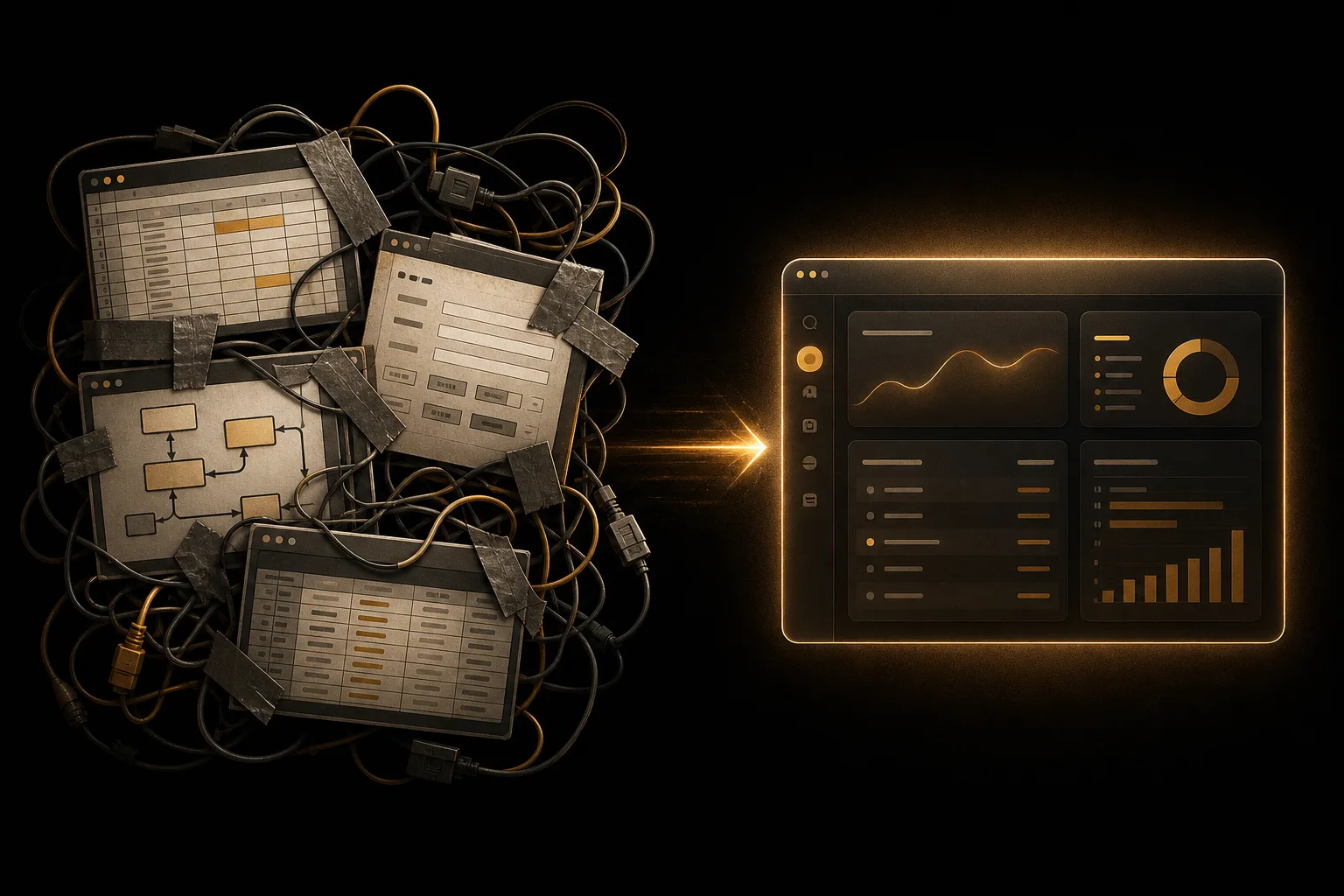
AI coding tools change the ceiling. Tools like Claude Code and Cursor don't just suggest code, they can build full applications with you, iteratively, based on how you describe the problem. You're no longer limited by what a no-code platform supports. You can build custom user roles, connect to a real database, create logic that fits your exact workflow, and deploy something that looks and works like a real product.
I'd go as far as saying: if you're a business owner or operator with a genuine app idea, skip the no-code default and go straight to AI-assisted coding. The learning curve is gentler than it sounds, and the ceiling is dramatically higher. If you'd rather have someone build it with you than learn the tools yourself, that's exactly what our business apps service is for.
Why Business Operators Actually Have an Advantage
Here's something most coding tutorials miss. The hardest part of building a useful app is not writing the code. It's knowing what the app needs to do.
Traditional developers are often excellent at the technical execution but need someone to translate the business problem into clear requirements. That translation layer is where most projects slow down or go sideways. When you're the business owner, you already live inside the problem. You know the workflow, the bottlenecks, the users, the edge cases, and what success looks like.
That business fluency is your real advantage. When you pair it with AI coding tools that can handle the technical execution, you get something that's hard to replicate: software built by someone who actually understands why it needs to exist.
The Process I'd Recommend
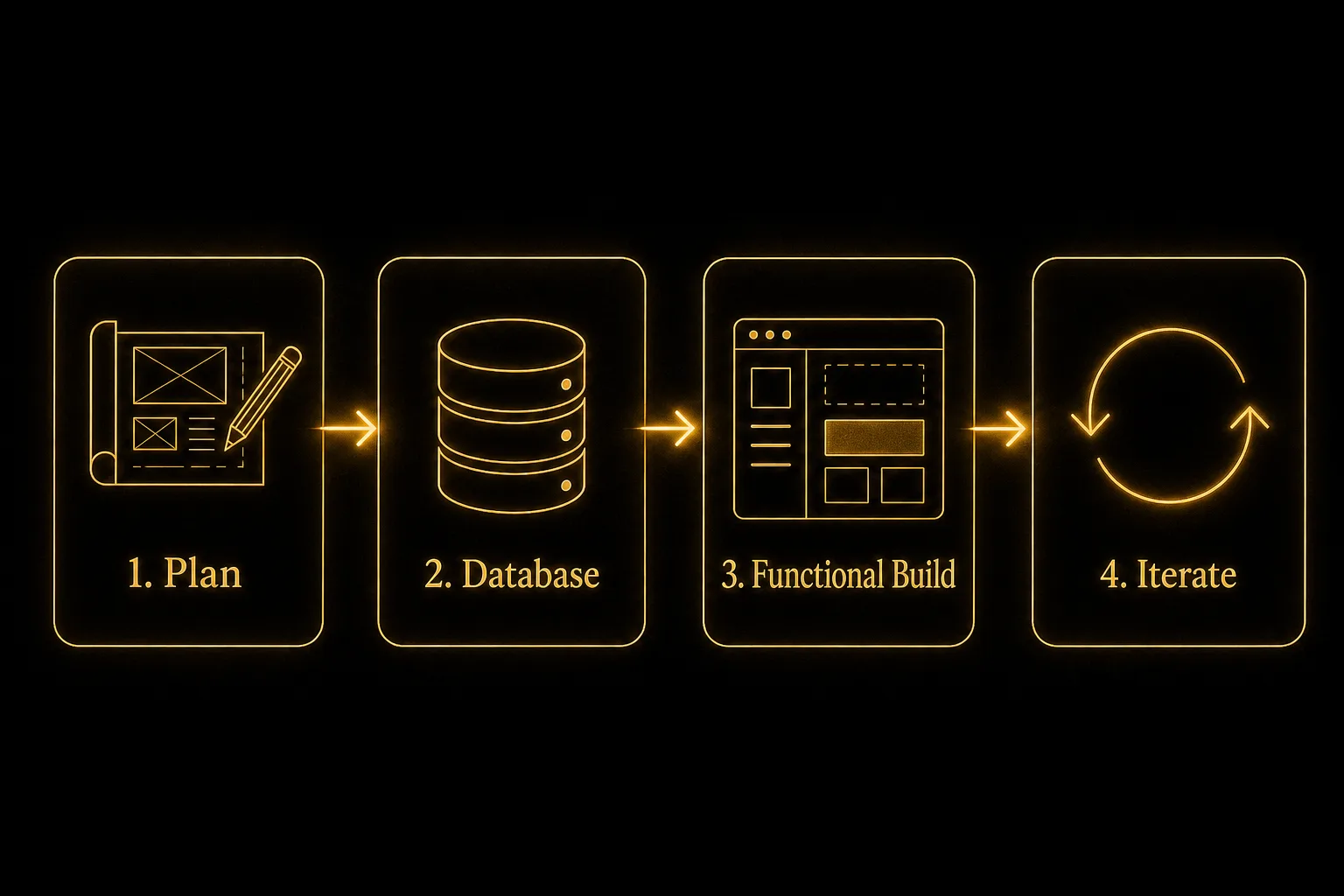
Start With Planning, Not Code
Before you open any coding tool, spend time getting clear on what you're actually building. I use Claude Code's planning mode for this, and it's genuinely useful. You describe what you want to build, it asks clarifying questions, and together you map out the structure before anything gets built.
You can even record a voice note describing the problem and let the tool ask what's missing. Think through:
- What is this app supposed to do?
- Who will use it, and what should each type of user be able to see or do?
- What data needs to be collected and stored?
- What should the app calculate, display, or trigger?
Getting this clarity upfront saves you from rebuilding things later.
Think Through Your Database Early
Most useful apps need a database. This is the part that trips up first-time builders more than anything else. You don't need to understand how databases work at a deep level, but you do need to think about the data your app will store and how it relates.
I use Supabase for almost everything I build. It works well with AI coding tools, it's approachable, and it scales. You can describe your data structure to the coding tool in plain language and it will help you set it up correctly.
Build Something Functional Before You Polish It
Once you have a plan and a database structure, let the AI build a working version. Don't worry about whether it looks beautiful yet. Get something functional. A working prototype builds momentum and shows you quickly what's working, what needs adjustment, and what you hadn't thought through.
UI polish comes later. Functionality and logic come first.
Iterate From There
Once you have something working, you'll naturally see what needs to change. Add a feature. Adjust the logic. Tighten the user experience. This is how real software gets built, not in one perfect pass, but through iteration.
A Real Example: Miller Brothers
Miller Brothers runs a door-to-door sales operation, providing reps for fiber optic companies to sell their services in the field. When those reps made sales, they entered them into the fiber company's system. Miller Brothers had no visibility into those sales in real time.
Each fiber company would periodically send back a report, usually in a spreadsheet, often in a different format. Reconciling which reps had made which sales, and what they were owed in commissions, was a manual nightmare. Reps had no way to see their own numbers. Management couldn't easily identify who was performing and who wasn't. Errors happened. Disputes happened.
We built a custom commission management system that changed how the whole operation ran. Reps now entered their sales into the new system as well as the fiber company's platform. Management got a real-time view of performance across the entire rep base. Each rep could log in and see their own commission totals as they accumulated. When the fiber company reports came in, the team could reconcile them against what was already in the system.
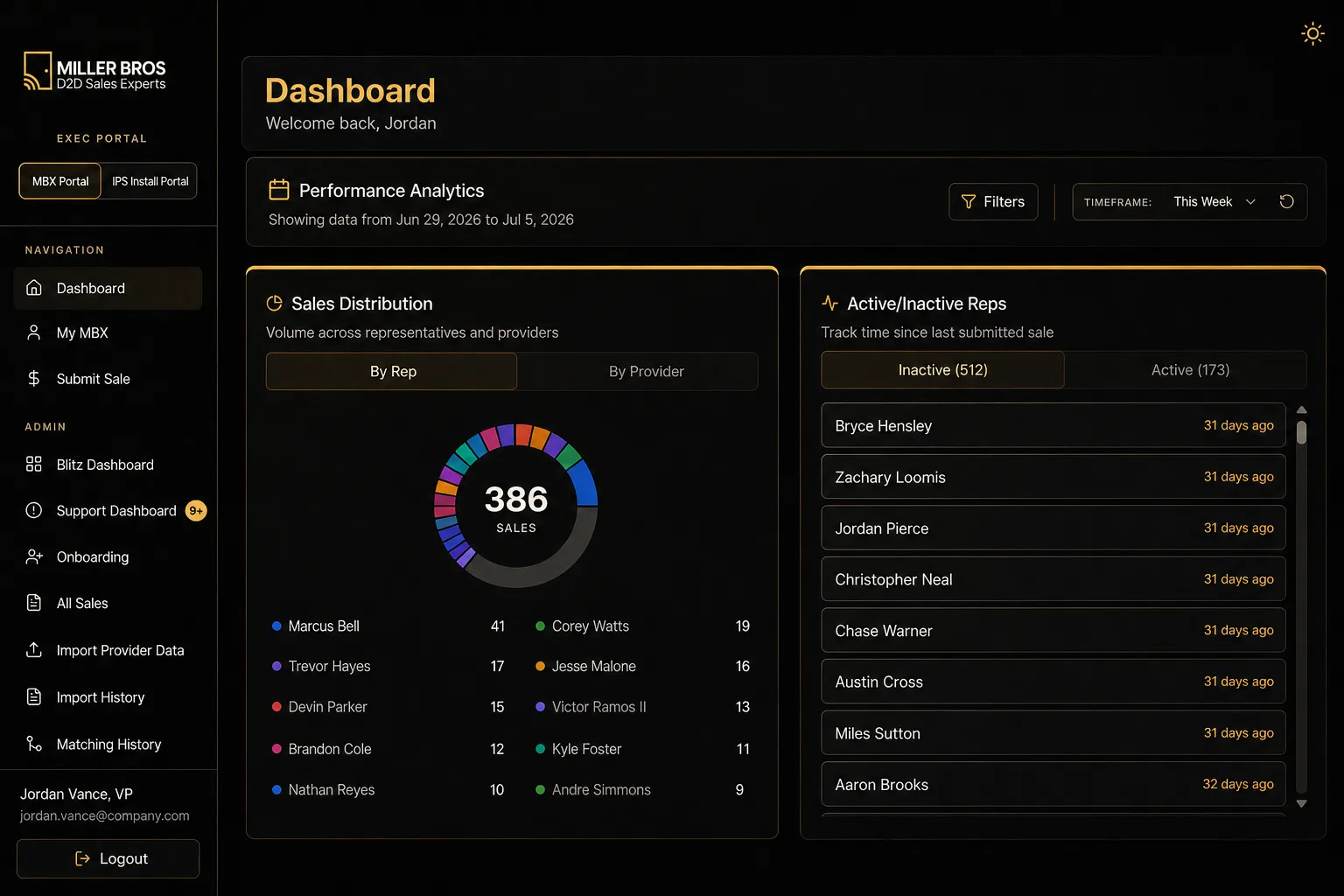
From there, we layered in additional tools: rep onboarding workflows and a module for third-party installers to mark jobs as completed.
The result was dozens of management hours saved every month, a rep base that could grow without the operational overhead growing at the same rate, and a level of visibility that just didn't exist before.
Freed up every month - even as the rep base kept growing.
That system didn't require a team of engineers or a six-month development cycle. It required someone who understood the business problem clearly enough to build the right solution.
The Reality Checks You Should Know
Building an app with AI tools is genuinely accessible now. But there are a few places where you need to think like an owner, not just a builder.
Security and data access. Most apps have at least two types of users: administrators who see everything, and standard users who should only see their own data. This is called row-level security, and it needs to be set up correctly in your database. If you build something and every user can see every other user's data, that's a real problem. Ask your AI coding tool to review what's been built specifically for security gaps before you put the app in front of anyone.
Sensitive data. If your app will store payment information, health records, or anything that falls under regulations like HIPAA, you need more than an AI-assisted build. You'll want a developer with security expertise involved, or at minimum a very careful, deliberate review process. The tools can help, but the responsibility is yours.
Maintenance. Apps aren't finished when they're deployed. Data structures change, bugs surface, users ask for new features. Plan for this. Either stay engaged with the tools yourself or budget for ongoing support.
When to bring in a developer. AI coding tools are powerful, but they're not a substitute for deep expertise when the stakes are high. If you're building something that handles payments at scale, stores sensitive personal data, or needs to meet a specific compliance standard, involve a developer with relevant experience. Use AI to build fast and iterate; bring in specialists when the risk profile demands it.
Who This Is For
If any of these describe you, this approach is worth exploring seriously:
- You're a small business owner with a process that lives across five different spreadsheets
- You're managing commissions, KPIs, or performance data manually and it's getting out of hand
- You need a customer portal or internal dashboard and the off-the-shelf options don't fit your workflow
- You sell a custom or configurable product and you've outgrown the standard checkout experience
- You have a vision for a tool that would change how your team operates, but it's always felt too expensive or too complicated to build
The technology has genuinely shifted. What would have cost a significant engineering investment two or three years ago can now be prototyped in days.
What Actually Matters
You don't need to become a software developer. You need to think clearly about the problem, plan before you build, understand your data and your users, and use the available tools strategically.
The businesses that will get the most out of this moment are the ones run by people who understand their operations well enough to articulate what a better tool would do, and are willing to engage with the build process themselves rather than hand it off entirely and hope for the best. If you want to learn how to do this hands-on, that's exactly what our AI Training program is built for.
The code is the easy part now. The thinking was always the hard part. That part hasn't changed.